Gaming
Game Mode, background recording off, hardware GPU scheduling, the modern flip model and variable refresh rate for windowed games.
For Windows 10 and 11
Tunvex tunes Windows for gaming. Every setting tells you what it changes, why it helps and what you give up, and every one can be undone in one click.
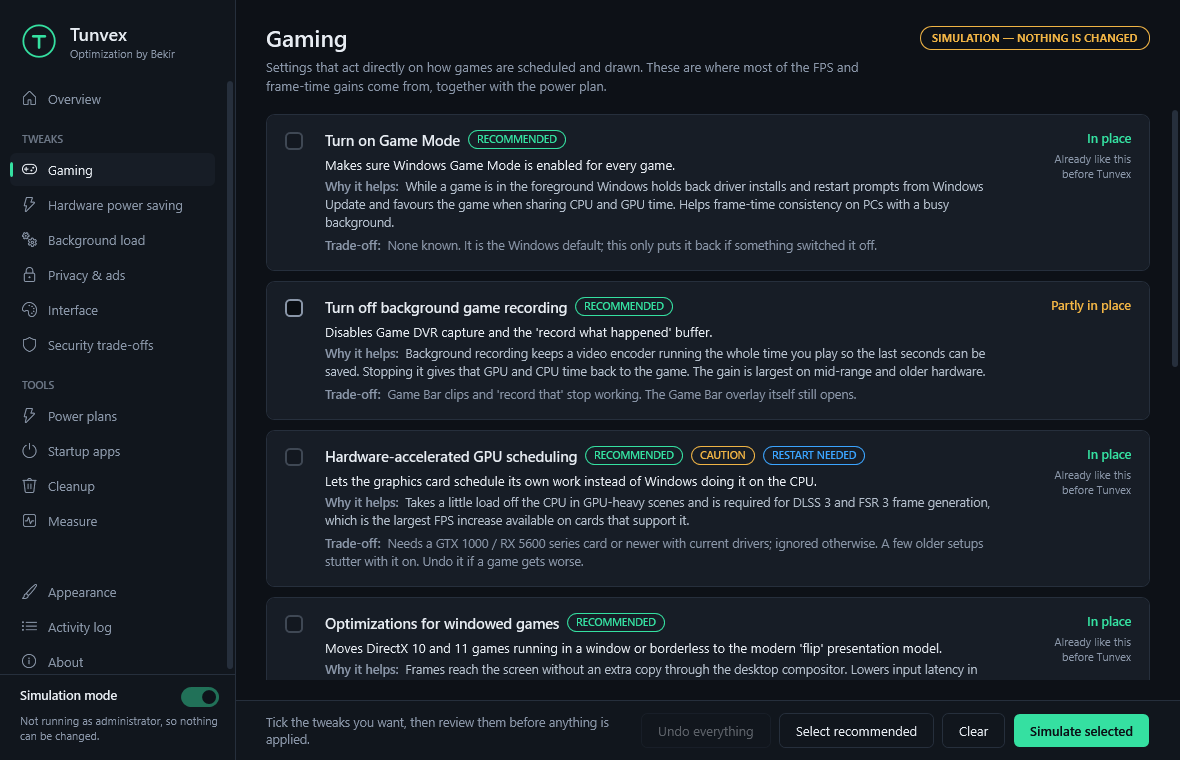
Settings are grouped by what they do for a game. Each one is explained in the app before anything is touched.
Game Mode, background recording off, hardware GPU scheduling, the modern flip model and variable refresh rate for windowed games.
Maximum performance in the NVIDIA driver, AMD ULPS off, and the PCI Express link, USB ports, drives and Wi-Fi kept awake while you play.
Telemetry scans, Widgets, browsers running hidden, update uploads to other PCs: the short stalls that show up as stutter.
One click to Ultimate or High performance, and one click back to the plan you had before.
The same readings before and after: processes, memory, idle CPU load, interruptions over 1 ms. Results, not promises.
Switch off what starts with Windows, and free the disk space Windows rebuilds by itself.
No tool can double a frame rate. What Windows settings can do is stop other work from taking time away from the game: steadier frame times and a few percent more FPS on most PCs. The larger wins come from the power plan, background recording and frame generation.
That is why Tunvex also lists what it leaves out on purpose, with the reason.
On first launch Tunvex only shows what it would change. You switch to real changes yourself.
The previous state of every registry value, service and task is written to disk before it is touched. Undo puts it back exactly.
A Windows restore point is offered before each batch of changes.
No account, no telemetry, no internet connection needed.
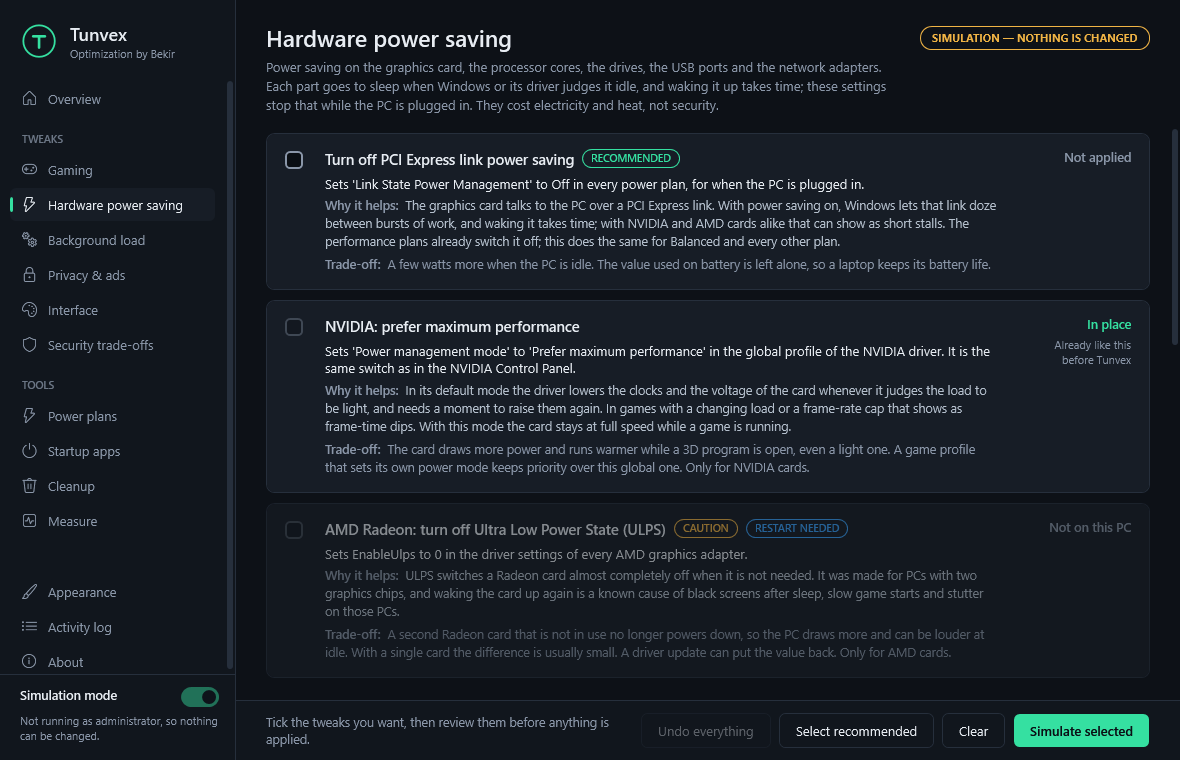
Screenshots show the English interface. Tunvex follows the language of Windows.

5 €paid once
By card, on the secure Stripe page. Give the e-mail address where you want to receive your licence key.
Your licence key (25 characters) arrives by e-mail, usually within 24 hours.
XXXXX-XXXXX-XXXXX-XXXXX-XXXXXDownload Tunvex below, start it and type your key. Every page opens.
One installer for Windows 10 and 11, 64-bit. Tunvex asks for your licence file the first time it starts.
Download Tunvex-Setup.exeThe installer is not code-signed yet, so Windows SmartScreen may show a warning. Choose More info, then Run anyway.
Tunvex-Setup.exe /S
Tunvex-Setup.exe /S /DIR="D:\Apps\Tunvex" /DESKTOP
Tunvex-Setup.exe /uninstall /S
5 €, paid once. There is no subscription and the licence has no expiry date.
No. Everything Tunvex changes is described on this page, the app explains each setting before you apply it, and every change can be undone.
By e-mail, usually within 24 hours after payment. Keep the file: you will need it again if you reinstall Windows.
Yes. Within 14 days of your purchase, write to the contact address at the bottom of this page from the e-mail you paid with: you are refunded, no questions asked.
Tunvex only changes Windows settings; it never touches game files or anti-cheat software. The one setting to watch is Memory integrity: some anti-cheat systems require it to be on, and the app says so on that setting.
Yes. Each setting has its own Undo button, and "Undo everything" puts back every value Tunvex changed. Only file cleanup cannot be undone, and the app warns you before it deletes anything.
Yes. Power settings only change the values used when the laptop is plugged in, so battery life is left alone.
No. Tunvex has no account and no telemetry; everything stays on your PC.
Windows 10 and Windows 11, 64-bit. Settings that only exist on Windows 11 are shown as unavailable on Windows 10.